LDAP Integration
Last Updated January 7, 2022
The Access Anywhere supports integration with directory services through the LDAP and SAML protocols providing authentication and authorization services including single-sign-on as well as identity and role synchronization.
This document describes integration with LDAP. For SAML see SAML Integration. More information at Iam.
This document describes configuration via LDAP for:
- Microsoft Active Directory
- Azure AD Domain Services
If you remove an authentication system that is in use by an SMB Multi User or Nasuni provider, then organization members may gain read access to the provider and its contents.
Adding a Directory Service
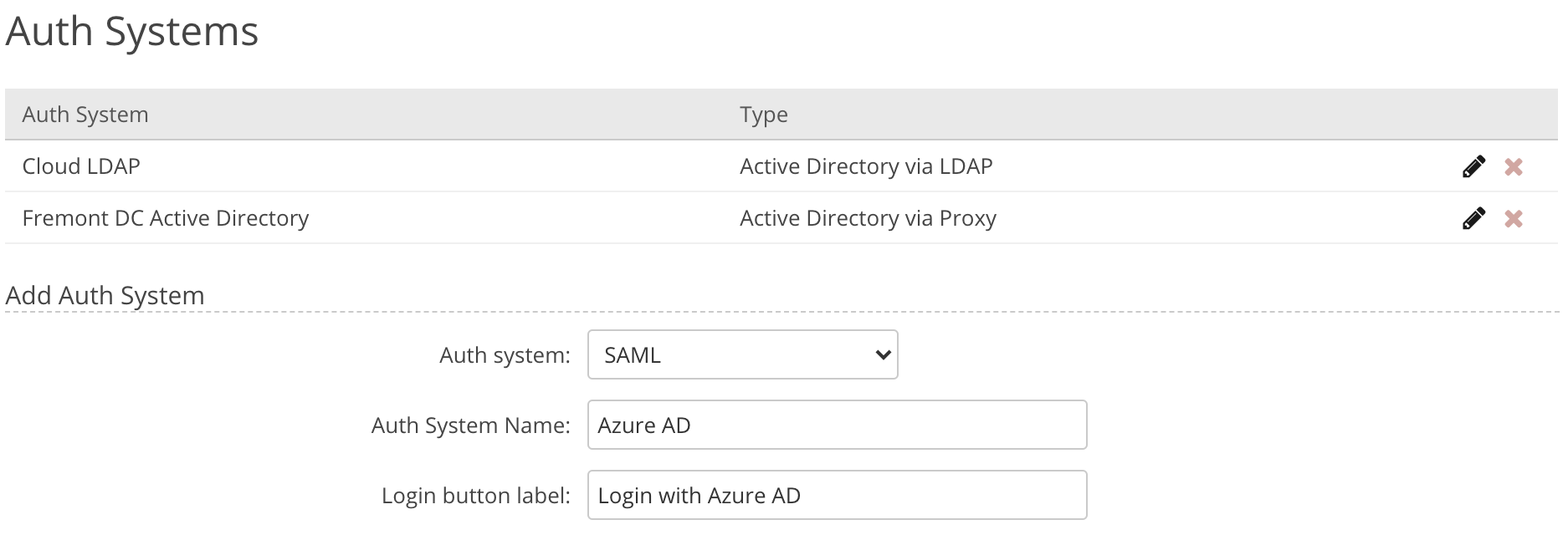
Directory services are managed by an Organization administrator under Organization > Auth Systems. Multiple auth systems can be configured.
Active Directory (via LDAP)
If you need to connect to:
- ADFS (Active Directory Federation Services) - see SAML integration
- Azure Active Directory - see SAML integration
Choose Auth System Type
For any LDAP directory service choose Active Directory via LDAP.

Connection Information
The first section provides connection information to the directory service:
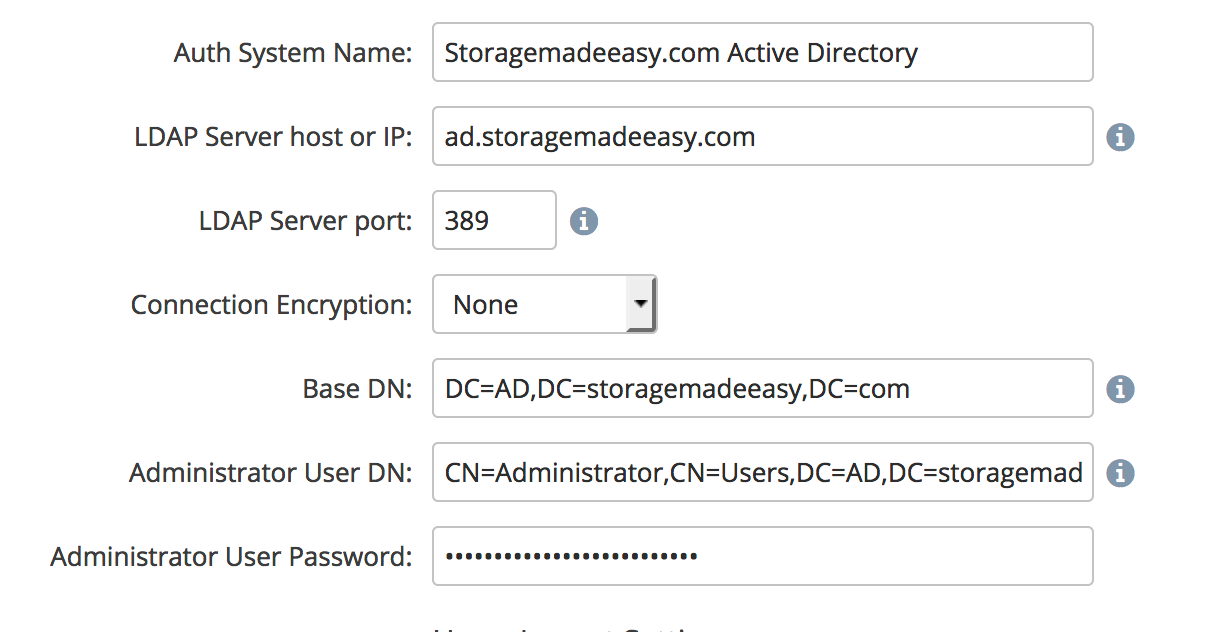
Auth System Name - Enter any label you want for this Auth System.
LDAP Server host or IP - This is the dns resolvable hostname, or the IP address for your AD servers which are listening for LDAP connections.
For high availability you can enter multiple addresses. Enter the host like you would normally then subsequent hosts separated by a space and include the protocol.
In case NAA can not connect to the first AD, next one will be tried.
LDAP Server Port - Can leave the default (port 389) if the Connection Encryption is none or TLS. Use port 636 for SSL. Or other port if you are using non-standard ports for your AD environment.
Connection Encryption - Select the encryption method your AD environment supports.
Base DN - Enter the Base DN for your enviornment. This is dependent on your AD environment setup.
Administrator User DN - Enter the DN for a service account in your AD environment that we will use to connect.
Administrator User Password - Password for the account entered in the previous field.
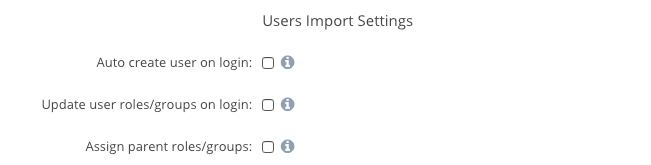
User Import Settings
The next three boxes should be checked if you want Access Anywhere to automatically create new users and roles/groups when a user logs in and their account and/or groups do not exist in Access Anywhere.
If you do not check these, you must import the Users and Roles you want to have access to the system.
User Directory Settings
The next section will describe how your directory defines the users we will use in Access Anywhere.
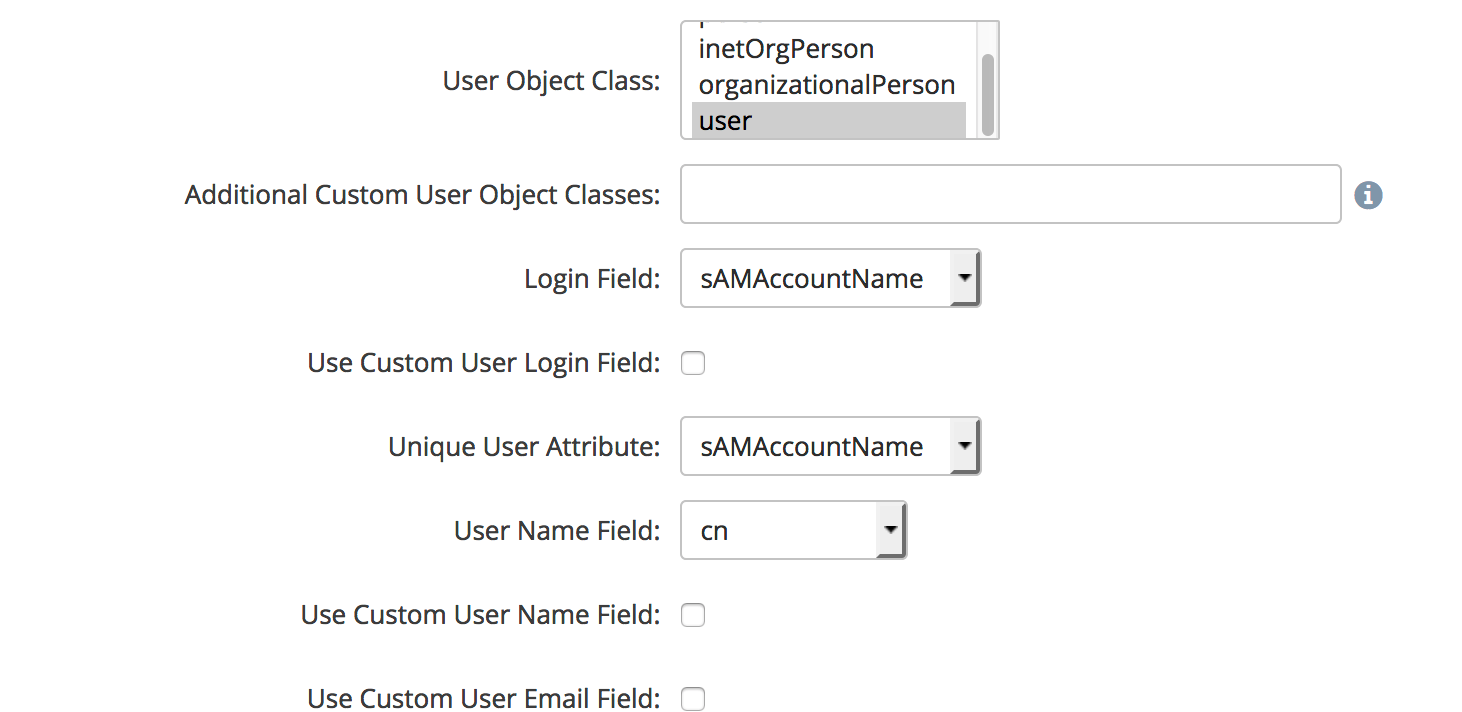
User Object Class - For Active Directory we will select "users"
Additional Custom User Object Classes - If you have additional classes which represent the users on your system, you can enter them here in a comma separated list. Standard AD installations will leave this blank.
Login Field - This defines the attribute which NAAwill use for the NAALogin attribute in Access Anywhere. Standard AD installations should use either sAMAccountName or userPrincipalName
Use Customer User Login Field - If Checked then you can select a custom field for the NAALogin. Standard AD installations will leave this blank.
Unique User Attribute - This defines which field will be used as the unique user ID with Access Anywhere. Standard AD installations should use either sAMAccountName or userPrincipalName.
User Name Field - This defines which field will be used for the NAAUser Name attribute. Standard AD installations should use displayName.
Use Custom User Name Field - If Checked then you can select a custom field for the NAAUser Name. Standard AD installations will leave this blank.
Use Custom User Email Field - If Checked then you can select a custom field for the NAAemail. Standard AD installations will leave this blank.
Group Directory Settings
The next section will describe how your directory defines the groups we will use for the roles within Access Anywhere.
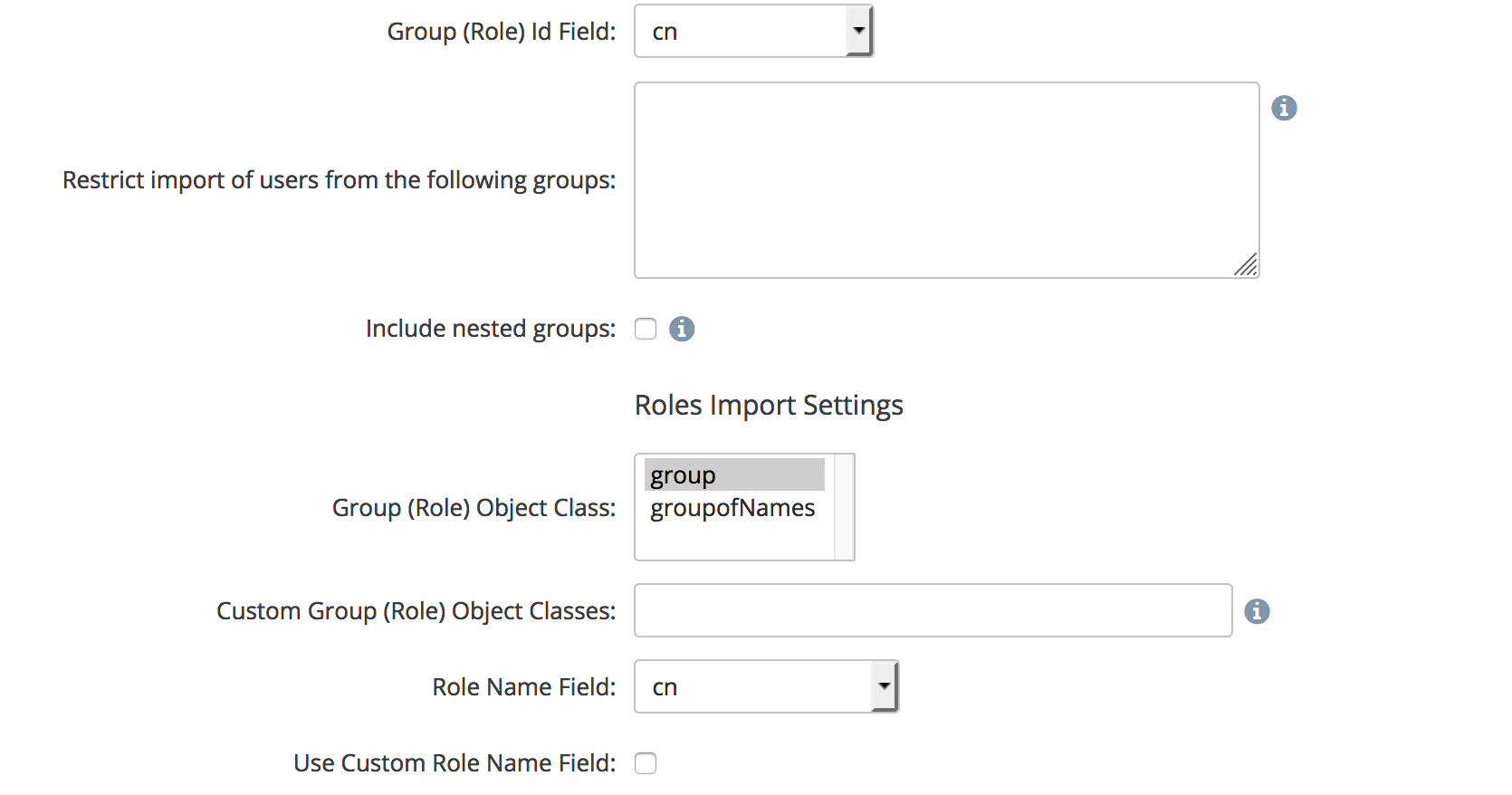
Group (Role) id Field - This will define which field to use in the directory to create the Roles within Access Anywhere. Standard AD installations will select cn.
Restrict import of users from the following groups - Enter any group DNs for groups within your directory which you want to limit which users can access Access Anywhere.
Group(Role) Object Class - This defines the object class the directory users for group objects. Standard AD installations will select group.
Custom Group (Role) Object Classes - Here you can add additional classes which represent groups in your Directory, in a comma separated list. Standard AD installations will leave this blank.
Role Name Field - This defines which field will be used to set the Group name in Access Anywhere. Standard AD installations will use cn.
Use Custom Role Name Field - If checked then you will be able set a custom field name to be used for Access Anywhere group Names. Standard AD installations will leave this blank.
Auto-Config Provider (Optional)
This optional setting will allow you to define Private Providers for each user in your directory. This can be used for user home directories for example.
Azure AD Domain Services (via LDAP)
Azure AD Domain Services can be used as an LDAP provider.
We recommend enabling and configuring Secure LDAP using TLS with port 389. (You could also use SSL with port 636).
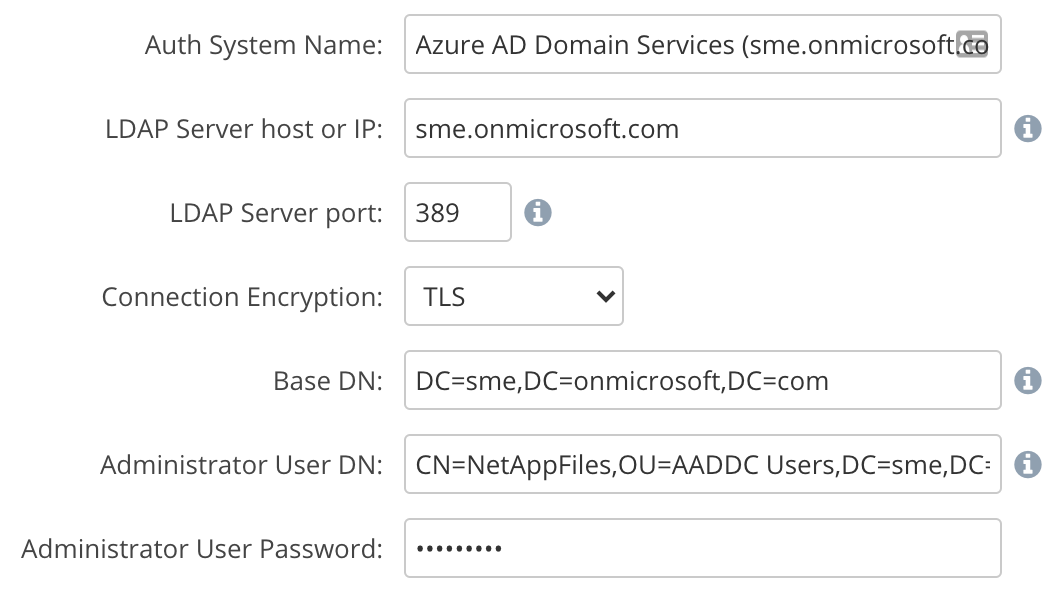
Other Settings:
-
User Object Class: user
-
Login Field: sAMAcountName
-
Unique User Attribute: sAMAccountName
-
User Name Field: cn
-
Group (Role) Id Field: cn
-
Group (Role) Object Class: group
-
Role Name Field: cn