Multipart Uploading (MPU, DLO)
last updated on: March 27, 2022
Multipart uploading (MPU) refers to the ability to create a single large file or object on a server by uploading it in separate segments. Multipart uploading is supported by many object storage platforms and is preferred, and even required, when creating objects over a certain size.
Access Anywhere can use multipart uploading for object storage providers that support the MPU (S3 Compatible) or DLO (OpenStack Swift). It can be enabled on a per provider basis.
Appliance Configuration
A file will be uploaded in parts for an S3-compatible provider when greater than a specified “upload size”. This file size is set per provider but an appliance default can be configured.
The appliance default can be set by the Appliance Administrator (appladmin) under Settings > Site Functionality. If the field is blank a setting of 4096 is used.

Provider Configuration
Multipart uploading will only be used if enabled for a storage provider. This setting can be enabled or disabled through the Dashboard Provider Settings:
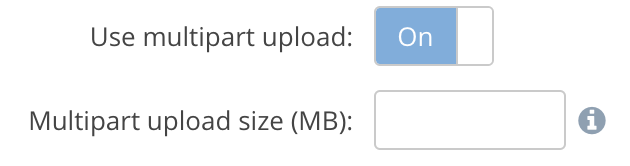
The Multipart upload size setting is optional. If blank the appliance "Default multipart upload size" is used.
If you set an explicit MPU size for a provider then that size will always be used with that provider. If you don’t set an explicit MPU size for a provider and you are using M-Stream then the MPU size that is used may be different than the appliance default MPU size.
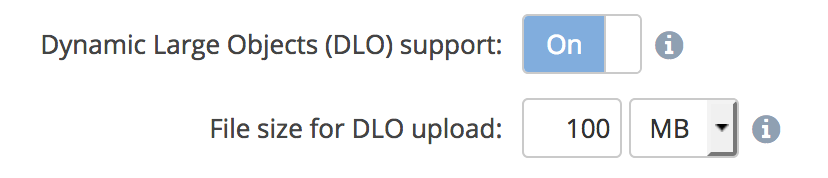
OpenStack Swift providers allow support multipart uploads through Dynamic Large Objects. These can also be enabled and a minimum file size set through the Provider Settings: