Windows Drive Network Disconnect Advisory
Symptoms
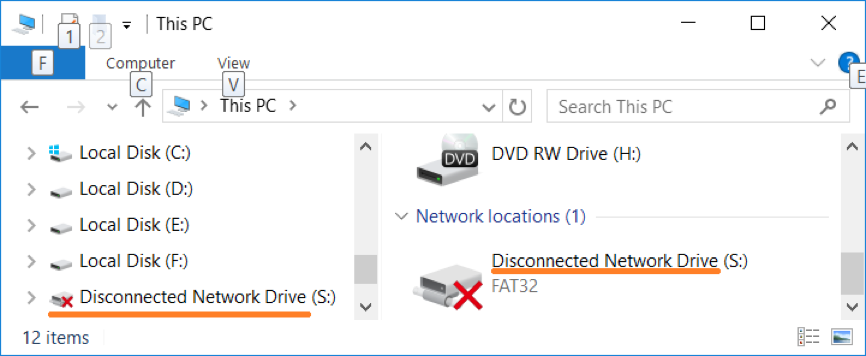
After a Microsoft update to Windows 10 you might see NAA Cloud Drive status as Disconnected Network Drive in Windows Explorer.
Cause
There is a known issue with Microsoft Windows update where network provider settings are removed after a windows upgrade. For details see Network provider settings are removed during an in-place upgrade
Workaround
To workaround this problem you have 2 options
Method 1: Re-Install NAA Cloud Tools
-
Restart Windows
-
Install the NAA Cloud Tools on top of existing installation
-
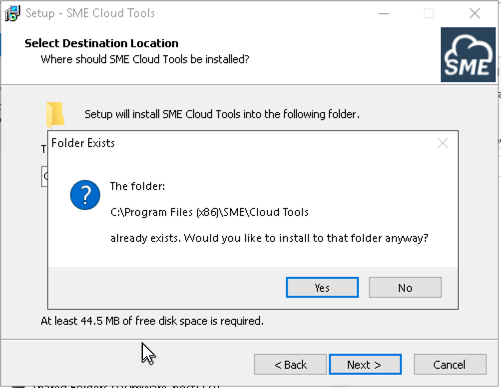
You will get an additional prompt , click yes
-
Finish the installation
-
Restart Windows
Method 2: Reinstall Cloud Drive
Open Windows Power shell(type Windows Power Shell in the start menu), in the command prompt type the following commands and hit enter.
cd "C:\Program Files (x86)\SME\Cloud Tools\"

Start-Process -Verb runAs .\Cloud.Drive.exe /install
Note if you have installed branded NAA Windows app, the Cloud Tools will be installed under C:\Program Files (x86)\ in directory corresponding your NAA installer name.
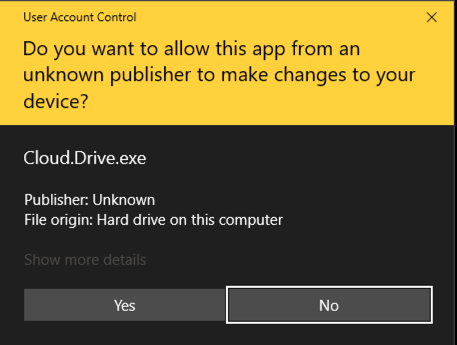
You will get a User Account Control prompt. Click Yes
Restart Windows